Fact-checked by the The Credit Scout editorial team
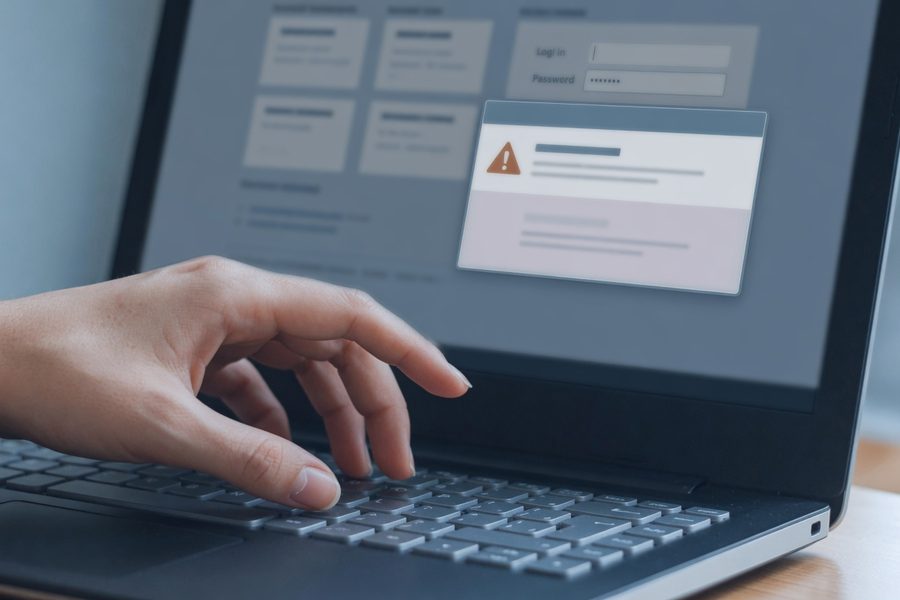
Someone is trying to empty your bank account right now. Not through a complex hack, but by sending you a message that looks exactly like it came from your bank. The subject line says “URGENT: Suspicious Activity Detected.” The email body uses the bank’s logo, the same shade of blue, and a link that appears to lead to your online banking portal. Click it, enter your login, and your password lands directly in a fraudster’s database. Learning to spot phishing emails and fake websites that target your bank accounts is no longer optional. It is the single most important skill protecting your checking and savings.
These scams are not hypothetical edge cases. The Federal Trade Commission reported $12.5 billion in total consumer fraud losses during 2024, with imposter scams, many launched through phishing emails and texts, remaining the most common category (FTC, 2025). That works out to more than a billion dollars drained from consumers every single month, and bank impersonation continues to dominate fraud losses.
By the time you finish reading, you’ll know how to recognize a fraudulent bank email before you click, how to spot a fake login page in under five seconds, and exactly what to do if you’ve already handed over your credentials. No jargon, no panic, just a straightforward defense plan that works whether you bank from a laptop, tablet, or smartphone.
Key Takeaways
- Bank impersonation scams surged nearly twentyfold via text from 2019 to 2022 and remain the highest-loss category through phishing emails.
- The “sender” address is often one character off, bankofamerica-alert.com is not Bank of America.
- Real banks never ask for your password, PIN, full account number, or MFA code via unsolicited email or SMS.
- Hovering over any link reveals the actual destination; if the domain doesn’t match your bank’s official site exactly, do not click.
- Password managers that refuse to autofill on an unrecognized domain are often the fastest way to detect a fake login page.
- If you entered credentials on a fake site, freeze the account within 15 minutes by calling the number on your bank card, not any number in the suspicious message.
In This Guide
- What Bank-Targeted Phishing Looks Like in 2026
- Red Flags: Where Phishing Emails and Texts Give Themselves Away
- Spotting Fake Bank Websites and Login Pages
- What Your Bank Will Never Ask You to Do
- How to Verify a Bank’s Official Domain vs. Lookalike URLs
- Immediate Steps If You Clicked or Shared Info
- Long-Term Habits to Protect Your Bank Accounts
- When Phishing Gets Personal: AI-Generated Bank Scams
What Bank-Targeted Phishing Looks Like in 2026
Modern bank phishing is not the poorly-spelled email from a “Nigerian prince” that most people associate with scams. The messages arriving in inboxes today are polished, personalized, and designed to bypass instinct. Fraudsters pull your name and the last four digits of your card number from data brokers, then craft a message that references a “declined transaction at [local store]”, a store you actually visited.
AI has made these deceptions harder to detect. Teresa Walsh, Chief intelligence officer at the Financial Services Information Sharing and Analysis Center, warns that “along with newer threats like deepfakes, AI is also being used to mask some of the traditional warning signs of cyber threats.” Grammatical errors that once served as a bright-red flag are being erased by generative language tools. The email might now read with the same professional cadence as your bank’s real correspondence.
“Along with newer threats like deepfakes, AI is also being used to mask some of the traditional warning signs of cyber threats.”
Text messages, often called smishing, now mimic multi-factor authentication alerts from your bank, pressuring you to “verify a login attempt from a new device” by tapping a link. That link leads to a login page that mirrors your bank’s mobile interface exactly. Most people log in within 90 seconds of receiving the text, according to industry-collected phishing response data. Speed is the scammer’s primary weapon.
Why do these attacks succeed so often? Because they manufacture a crisis. An email that says “Your account will be suspended in 2 hours unless you confirm your identity” bypasses the rational part of your brain. It triggers a fear response, lose access to your money, and pushes you to act before you think. Banks are built on trust. Phishing exploits that trust by impersonating the institution you rely on most.
Common Scenarios in 2026
- Fake wire-transfer confirmations: An email that looks like it’s from your bank’s wire department, asking you to “verify” a pending $4,500 transfer you never initiated.
- Zelle and Venmo impersonation: Texts claiming a payment to a stranger is processing, with a link to “cancel” it by logging in.
- “New payee” alerts: Messages stating a payee was added to your bill-pay profile, directing you to a fraudulent portal.
Red Flags: Where Phishing Emails and Texts Give Themselves Away
Even AI-crafted messages leave detectable traces. Shift your scrutiny away from grammar and onto the structural elements that scammers cannot fake: sender address, domain routing, and the logic of the request itself. Spotting phishing emails means evaluating cold, hard data rather than relying on gut instinct.
The sender’s email address is the number-one tell. Your bank sends mail from a domain like @chase.com or @wellsfargo.com. A phishing message might use @chase-alerts.net or @secure-wellsfargo.com. That extra hyphen or subdomain switch is the entire game. On a phone, the sender’s full address is often hidden by default. Tap the sender’s name to reveal it before you even read the message.
A QR code in a bank email or text is almost always malicious. Banks do not use QR codes to send you to a login page. Scanning one bypasses URL inspection entirely and can direct your phone to a fake site that auto-installs credential-stealing malware.
Requests for passwords, PINs, or full Social Security numbers are disqualifying. Your bank already has this information. It will never ask you to confirm it through an unsolicited channel. The Federal Trade Commission’s guidance on phishing is blunt: legitimate institutions do not send messages asking for personal or financial information under threat of account closure (FTC, 2024).
Urgency language deserves special suspicion. “Your debit card has been locked, click here to unlock it immediately.” “Someone tried to log in to your account from Russia, verify your identity now.” Time pressure is the psychological engine of every phishing campaign. A legitimate bank notice gives you days, not minutes, to resolve an issue.
The Generic Greeting Test
Major banks know your name. They rarely send emails that begin with “Dear Customer” or “Valued Account Holder.” A generic salutation does not automatically confirm a scam, some legitimate bulk notifications use it, but when paired with any of the other red flags, it heavily tilts the scale toward fraud.
Spotting Fake Bank Websites and Login Pages
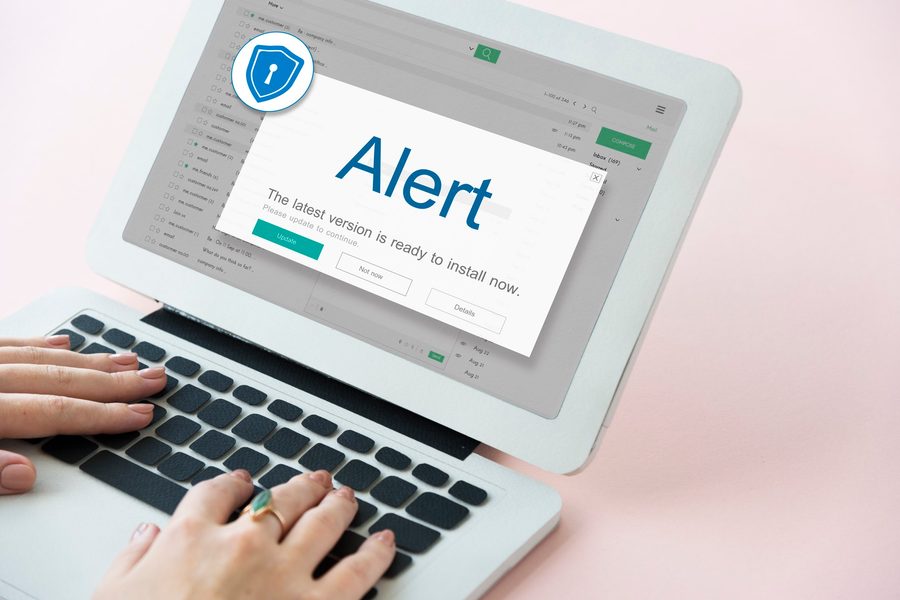
Fake bank login pages have grown so sophisticated that they can fool even a seasoned online banker. The page renders your bank’s exact color palette, loads the same typeface, and may even display a fake “Last login: today at 9:47 AM” detail to appear authentic. The only visual difference might be one pixel in the padlock icon.
Your primary defense is inspecting the domain name in the address bar. A real Bank of America login sits at a URL like https://www.bankofamerica.com/. A fake page might use bankofamerica-secure.com, bankofamerica.logon.com, or b0nkofamerica.com (with a zero instead of an ‘o’). No legitimate bank hosts its login on a third-party domain or a hyphenated variant of its brand name. Period.
The FTC recorded $12.5 billion in total consumer fraud losses during 2024, with imposter scams making up the single largest bite. Bank impersonation via email and text is a billion-dollar-a-month enterprise.
The HTTPS Lock Alone Is Not Enough
Many people still believe a padlock in the address bar means a site is safe. It doesn’t. The padlock confirms that the connection between your browser and the server is encrypted, nothing more. A phishing site can obtain a free SSL certificate in under two minutes. The padlock keeps data private from eavesdroppers; it says absolutely nothing about the identity of the person on the other end.
Instead, double-click the padlock icon (or tap it on mobile) and examine the certificate subject. It should list your bank’s exact legal name. If it shows a generic organization or an unrelated company, close the tab.
Mobile Banking App Imposters
Scammers are increasingly targeting mobile users with fake login prompts that imitate the in-app experience. A text message might read: “Your Chase Mobile session expired. Tap to re-authenticate.” The link opens a perfectly-scaled mobile webpage that looks indistinguishable from your bank’s native app login screen, complete with the same touch target sizes and keyboard behavior. The difference is that entering your password here sends it to a command-and-control server in real time.
Always open the banking app itself rather than logging in through a link from a text or email. Better yet, bookmark your bank’s official website on your phone and use that bookmark exclusively. This habit eliminates the entire category of URL-based deception. Securing access points matters just as much as tracking your credit; checking your credit report for unauthorized accounts becomes crucial if credentials are ever stolen.
One honest caveat worth naming: bookmarks and password managers work well for people who bank on a consistent set of personal devices. They offer less protection for someone who regularly logs in from shared computers at libraries or hotel business centers. On any device you do not personally control, the risk profile changes considerably. Treat those sessions as high-risk and change your password afterward on a trusted device.
What Your Bank Will Never Ask You to Do
Every major U.S. bank publishes a clear policy: they never request your online banking password, PIN, one-time passcode, or full account number through an unsolicited email, text, or phone call. Any message asking for these is fraudulent, no exceptions. Institutions like Chase, Wells Fargo, and Bank of America all reinforce this on their security pages.
When you are unsure whether a communication is real, do not reply to it. Open your bank’s mobile app or dial the number printed on the back of your debit card. Paul Benda, Executive vice president of risk, fraud and cybersecurity at the American Bankers Association, puts it plainly: “Instead, verify the message by contacting your bank at the number on the back of your card or through the mobile banking app.”
“Instead, verify the message by contacting your bank at the number on the back of your card or through the mobile banking app.”
No real bank asks you to click a link to update your personal information following a “security breach.” They also don’t send emails directing you to a wire-transfer verification page. When in doubt, use the official channels you control: the app you downloaded from the App Store or the bookmark you saved months ago.
How to Verify a Bank’s Official Domain vs. Lookalike URLs
Criminals register domains that are one hyphen, one letter, or one transposition away from your bank’s real web address. Distinguishing wellsfargo.com from wellsfarg0.com (zero for ‘o’) or wellsfargo-verify.com can be nearly impossible at a glance, especially on a mobile screen where the address bar truncates the full URL after the first 20 characters.
The most reliable method is to type the known, correct domain directly into your browser, or to use a bookmarked link. Paul Benda advises: “Check your statement or the back of your bank card for the right website, bookmark it, and use that to ensure you are on your financial institution’s official website.” This one habit neutralizes 99% of phishing attempts that rely on deceptive URLs.
“Check your statement or the back of your bank card for the right website, bookmark it, and use that to ensure you are on your financial institution’s official website.”
Hovering over a link (long-pressing on mobile) reveals the true destination before you click. The displayed text might say “https://www.citi.com/login” while the hover tooltip shows “https://citi.accountverify.net.” On a computer, watch the bottom-left corner of your browser; on a phone, use a long press and read the preview carefully.
Password Manager Warnings Are Your Friend
Modern password managers save login information tied to a specific domain. Landing on a fake page that looks like your bank, the password manager will refuse to autofill because the domain does not match. That silence, the absence of the autofill prompt, is one of the fastest signals that the site is spoofed. When your password manager normally fills in your bank credentials and suddenly doesn’t, stop. Do not manually type your password.
Common Lookalike URL Patterns at a Glance
| Legitimate Bank Domain | Fraudulent Lookalike Variant | Deception Technique |
|---|---|---|
| chase.com | chase-secure.com | Hyphen + generic word appended |
| bankofamerica.com | bankofamerica.logon.net | Real brand as a subdomain on fake TLD |
| wellsfargo.com | wellsfarg0.com | Zero substituted for the letter ‘o’ |
| citi.com | citi.accountverify.net | Real brand as subdomain, attacker owns the root |
| usaa.com | usaa-alert.com | Hyphen + “alert” to mimic fraud notification |
| bofa.com | b0fa.com | Zero for ‘o’, exploits mobile address-bar truncation |
Immediate Steps If You Clicked or Shared Info
Acting within the first 15 minutes dramatically increases the chance of freezing fraudulent activity before money moves. The playbook is simple and mechanical. Do not waste time panicking, move straight into containment.
- Call your bank directly, using the number on your debit card or from your official banking app. Do not use any callback number in the suspicious email or text. Tell the fraud department you entered credentials on a fake site. They can place a hard freeze on outgoing transfers, put watch alerts on the account, and issue new card numbers within minutes.
- Change your online banking password immediately from a different device, ideally one you know is clean, such as a tablet that has never been used to click the phishing link. If the attacker has already logged in, this step can forcibly terminate their session.
- Enable or review multi-factor authentication on your bank account. If you were using SMS-based codes, consider switching to an authenticator app or a hardware security key. SMS codes are vulnerable to SIM-swapping and should not be treated as bulletproof.
- Check recent transactions for any unrecognized activity, even small “test” charges of $0.01 to $1.00. Fraudsters often validate stolen credentials with a micro-transaction before attempting larger transfers.
- Report the phishing attempt to the FTC at ReportFraud.ftc.gov and forward the phishing email to the Anti-Phishing Working Group at reportphishing@apwg.org. Also notify your bank’s dedicated fraud email.
- Monitor your credit reports for new accounts that may be opened using your stolen personal details. A free weekly report from AnnualCreditReport.com can help, and if you need to fix anything that appears, a complete guide to DIY credit repair walks through dispute letters step by step.
Most U.S. banks provide zero-liability protection for unauthorized transactions when reported promptly. Regulation E caps consumer liability at $50 if you notify the bank within two business days, but virtually every major bank waives even that amount when the customer reports the fraud quickly. Do not let embarrassment slow you down.
Long-Term Habits to Protect Your Bank Accounts
Defending against phishing is not a one-time checklist. It is a set of embedded behaviors that reduce the available attack surface. The goal is to make your bank accounts a harder target than the next person’s, and in most cases, that is not difficult.
Start by separating your communication channels. Use a dedicated email address solely for financial accounts, one that you never share on social media, shopping sites, or public forums. This dramatically reduces the volume of phishing emails that ever reach that inbox. Keeping your financial email separate from your personal inbox is one of the simplest money management habits that most people skip.
Enable transaction alerts for every account. Many banking apps and budgeting tools for freelancers provide real-time spending alerts that catch unauthorized charges faster than monthly statement reviews. Set the threshold to $0.01 so that even a tiny test transaction triggers a notification. An alert buzzing while a fraudster is still attempting a transfer gives you a meaningful lead-time advantage.
Avoid accessing your bank on public Wi-Fi networks unless you are using a VPN with a kill switch. Coffee shop networks are trivial to spoof, and an attacker on the same network can intercept unencrypted traffic or redirect you to a fake captive portal that mimics a bank login.
Cybercriminals register phishing domains an average of 48 hours before launching a campaign, according to data from the Anti-Phishing Working Group. The site may be polished and convincing, but brand-new domains with short lifespans are a strong signal of fraud when combined with bank impersonation content.
When Phishing Gets Personal: AI-Generated Bank Scams
AI tools have reshaped the threat environment in ways that make older phishing-advice articles incomplete. Attackers now generate bank-specific voice clones, deepfake video of “support agents,” and chat-based phishing that adapts its script in real time based on your replies.
Voice phishing, vishing, now includes calls where an AI-generated voice sounds identical to your relative, claiming to be locked out of a shared account. The caller ID is spoofed to display your bank’s published customer-support number. When you answer, the “representative” thanks you for calling about “the suspicious wire transfer” and asks for your one-time passcode to “cancel” it. The scam works because the victim believes they are speaking to a real person dispatched by their bank.
Deepfake video technology has been used in real-world scams where fraudsters impersonate a CEO or a family member on a video call to authorize a bank transfer. While still rare for consumer accounts, the cost of generating a convincing deepfake has dropped below $200, making it a near-term threat for everyday banking.
The countermeasure remains the same: never share account details or one-time codes during an inbound call. Anyone claiming to be from your bank deserves a hang-up and a callback to the number printed on your card. A real alert will still be there when you call back. A scam will fall apart the moment you break the conversation.
Your Action Plan
-
Bookmark your bank’s official homepage today
Open your bank’s website by typing the URL manually, verify the domain is exactly what appears on your debit card, and bookmark it. Delete any old bookmarks that you cannot confirm are correct. From now on, use only that bookmark, never a search engine result or a link in a message, to reach your login page.
-
Turn on transaction alerts with a $0.01 threshold
In your bank’s app, enable push notifications for every transaction. A tiny test charge is the first move a fraudster makes; catching it instantly prevents the big withdrawal that follows.
-
Set up a separate financial-only email address
Create a new email account used exclusively for bank, credit card, and investment logins. Do not use this address for shopping, social media, or newsletter signups. A quiet inbox makes phishing attempts far more conspicuous.
-
Install a password manager and let it autofill your credentials
Let the password manager do the verification. A site that looks exactly like your bank but gets no autofill offer is almost certainly a clone. Close the tab immediately. This single behavior catches cloned login pages that fool your eyes.
-
Practice the “hang up and dial back” rule for every bank call
Receiving a call, text, or email claiming an urgent account problem is the moment to terminate the interaction. Contact your bank using the number on your card. This rule covers voice phishing, smishing, and email all at once.
-
Check your credit reports quarterly
Using AnnualCreditReport.com, scan for new accounts or credit inquiries you did not initiate. Find anything unfamiliar and start a dispute immediately. Consistent monitoring catches fraud that slides past transaction alerts.
Frequently Asked Questions
How can I tell a real bank email from a fake one without clicking anything?
Look at the sender’s full email address. A legitimate message ends exactly with your bank’s official domain, for example, @chase.com and nothing else. Also, a real bank email never asks for your password, PIN, or one-time code.
Does the padlock icon mean a bank website is safe?
No. The padlock confirms encryption only. Criminals can get SSL certificates for their fake domains in minutes. Always check the domain name before trusting the page, and use the certificate details to verify the organization name matches your bank’s legal entity.
Can phishing happen through text messages?
Yes, and it’s growing faster than email phishing. Smishing texts often impersonate fraud alerts, payment confirmations, or package delivery notices tied to your bank account. Tap the sender name to reveal the full phone number or short code; banks never use random 10-digit numbers for alerts.
What should I do if I entered my bank login on a fake site?
Call your bank’s fraud line immediately using the number on your debit card. Change your password from a separate, trusted device. Enable multi-factor authentication if it was not already active. Then check your recent transactions for unauthorized activity and report the phishing site to the FTC.
Will my bank reimburse money stolen through phishing?
In most cases, yes. Regulation E limits your liability for unauthorized electronic transfers to $50 if reported within two business days, and most banks voluntarily waive that amount when fraud is reported promptly. However, if you intentionally shared your credentials with a third party, reimbursement may not be guaranteed.
Are mobile banking apps safer than logging in through a browser?
Generally, yes, if you only ever open the official app and never follow login links from messages. The app communicates directly with your bank’s servers and cannot be redirected to a spoofed page as easily as a browser can. Keep the app updated and download it only from the official Apple App Store or Google Play Store.
How do scammers know which bank I use?
Data brokers compile information from public records, social media, breached databases, and loyalty programs. A simple Instagram post about a “great credit union” or a forwarded email containing a bank’s name can be enough for scammers to match your identity to a specific institution for a targeted spear-phishing campaign.
What is a lookalike domain and how do I spot one?
A lookalike domain replaces or adds a single character to a real bank’s URL, like b0fa.com instead of bofa.com or chase-bank.com instead of chase.com. Hover over the link to see the true destination, and bookmark your bank’s correct URL so you never need to guess.
Can AI-generated phishing be detected?
It is harder because the language is flawless and can be personalized with your name and recent locations. However, AI cannot change the domain, the demand for urgent action, or the request for credentials, those core red flags remain consistent whether the prose is perfect or not.
Sources
- Federal Trade Commission, How to Recognize and Avoid Phishing Scams
- CISA, Recognize and Report Phishing
- Consumer Financial Protection Bureau, Fraud and Scams
- FDIC, Avoiding Scams and Scammers
- Bankrate, How to Protect Your Bank Accounts from Hackers (Expert Quotes)
- Federal Trade Commission, New FTC Data Show a Big Jump in Reported Losses to Fraud, $12.5 Billion in 2024
- FBI Internet Crime Complaint Center, 2024 Internet Crime Report